UM(227102) Axial fan Front Fan for UM3/S5/S3
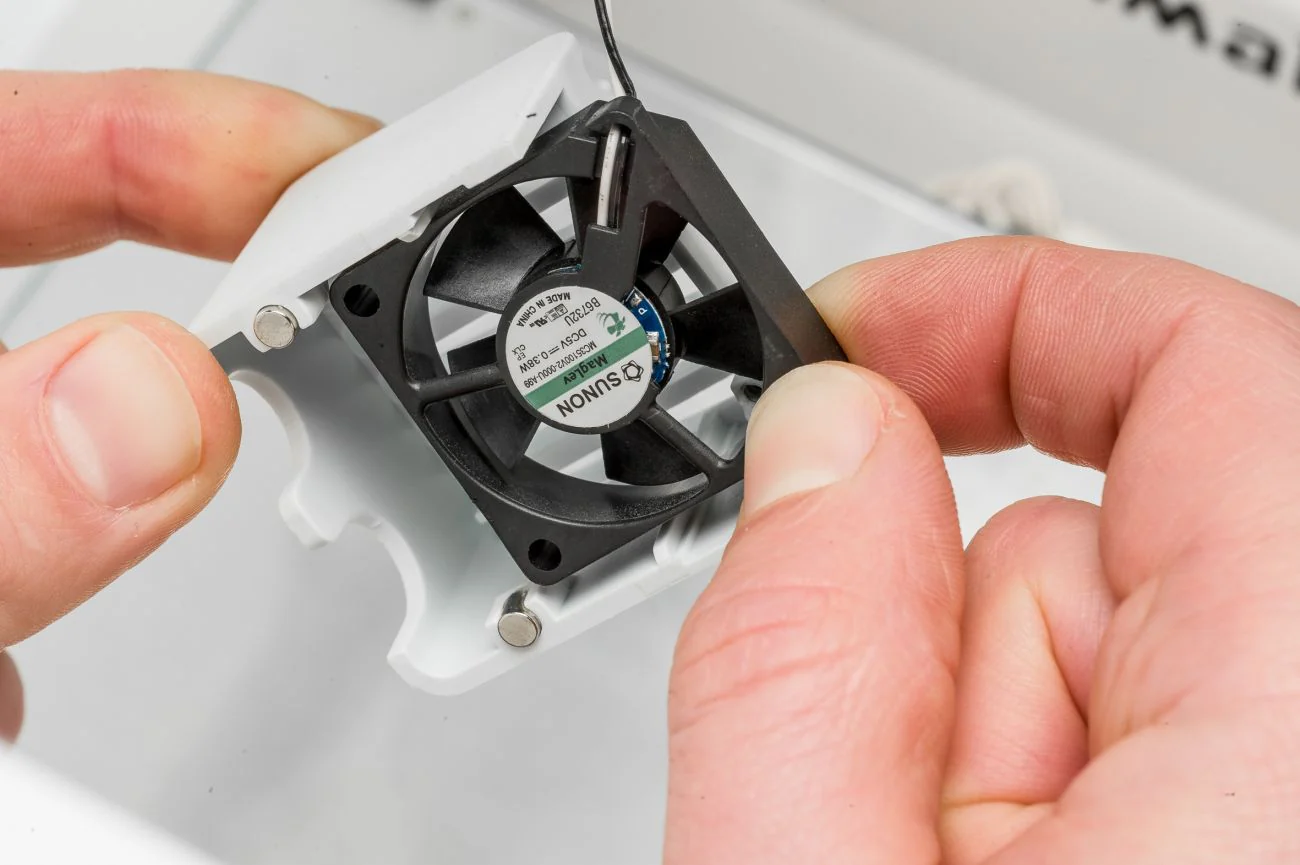
The axial fan at the front of the print head spins when one of the print cores is above 40 ºC. This helps to prevent the heat from the nozzle traveling too far upwards. Without this fan, the filament could get soft above the heater block, which leads to extrusion and print quality issues.
Check there is no Debris preventing the fan from spinning. Instructions here
If the fan is not spinning, it is recommended to replace it before starting a new print. The following steps describe how to correctly replace the front axial fan.
Please see the following link for replacement instructions.
This Part is compatible with the following
- Ultimaker S5
- Ultimaker S3
- Ultimaker 3 and 3 Extended
Original: $27.65
-70%$27.65
$8.29UM(227102) Axial fan Front Fan for UM3/S5/S3
The axial fan at the front of the print head spins when one of the print cores is above 40 ºC. This helps to prevent the heat from the nozzle traveling too far upwards. Without this fan, the filament could get soft above the heater block, which leads to extrusion and print quality issues.
Check there is no Debris preventing the fan from spinning. Instructions here
If the fan is not spinning, it is recommended to replace it before starting a new print. The following steps describe how to correctly replace the front axial fan.
Please see the following link for replacement instructions.
This Part is compatible with the following
- Ultimaker S5
- Ultimaker S3
- Ultimaker 3 and 3 Extended
Product Information
Product Information
Shipping & Returns
Shipping & Returns
Description
The axial fan at the front of the print head spins when one of the print cores is above 40 ºC. This helps to prevent the heat from the nozzle traveling too far upwards. Without this fan, the filament could get soft above the heater block, which leads to extrusion and print quality issues.
Check there is no Debris preventing the fan from spinning. Instructions here
If the fan is not spinning, it is recommended to replace it before starting a new print. The following steps describe how to correctly replace the front axial fan.
Please see the following link for replacement instructions.
This Part is compatible with the following
- Ultimaker S5
- Ultimaker S3
- Ultimaker 3 and 3 Extended